UE5 API Calls with C++
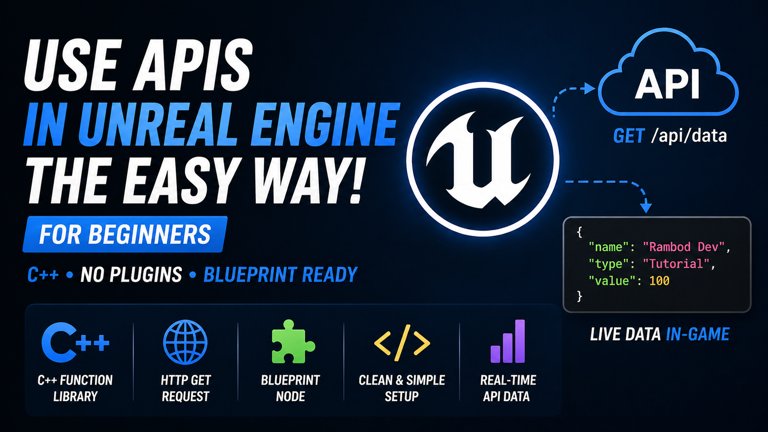
A lot of Unreal Engine beginners think API integration needs a plugin, a marketplace package, or some overbuilt backend wrapper before anything useful can happen. That is not true. If the goal is to make a clean HTTP request and send the result back to Blueprints, Unreal already gives you the tools to do it.
In this tutorial, you will build a simple API call system in Unreal Engine 5.6 using one C++ Blueprint Function Library and a Blueprint callback. You will create a reusable static function, hook it to Unreal’s built-in HTTP module, expose it to Blueprints, and test a live GET request directly in-game.
No plugin. No fake magic. Just a clean, practical setup that actually teaches how Unreal handles HTTP requests.
Watch the full video on YouTube: Easiest Way To Use APIs In Unreal Engine For Beginners
Sample project: UnrealAPICallSample on GitHub
Subscribe for more Unreal Engine tutorials: Rambod YouTube Channel
What You Will Build
- A clean UE5.6 C++ project for HTTP API work
- A Blueprint Function Library for reusable API calls
- A Blueprint-friendly delegate for async responses
- A static C++ function that sends HTTP GET requests
- A Blueprint node that returns status code and response text
- A simple in-game test using a public JSON endpoint
Why This Approach Is Good for Beginners
API tutorials often fail beginners in one of two ways:
- they stay too abstract and never produce a working result
- they bury the useful logic under too much architecture too early
This approach avoids both problems.
It is good for beginners because:
- the logic lives in one obvious place
- the Blueprint node is reusable anywhere in the project
- the response is returned in a Blueprint-friendly way
- you learn Unreal’s actual HTTP module instead of depending on third-party tools
What This Tutorial Does and Does Not Cover
This tutorial focuses on the cleanest useful starting point:
- GET requests
- async HTTP flow
- Blueprint callback integration
- basic response printing
It does not go deep yet into:
- POST requests
- DELETE requests
- JSON deserialization into structs
- authentication systems
- robust production error handling
That is the right decision. Beginners need the first clean win before they start stacking complexity.
Step 1: Create a Clean C++ Project
Start by creating a new Unreal Engine 5.6 C++ project.
Recommended setup:
- Template: Blank
- Project Type: C++
- Name: UnrealAPICallSample
A clean C++ starter project is the best choice here because it removes unrelated gameplay noise and keeps the API work easy to isolate.
Why a Blank C++ Project Is Better Here
You could add this to a bigger game project later, obviously. But for learning, a blank C++ project is cleaner because:
- you are not distracted by unrelated Blueprints
- the Build.cs file is easy to inspect
- the C++ class generation flow stays simple
- testing is more direct
This is the right place to learn the pattern.
Step 2: Disable Live Coding
Inside Unreal, go to:
Edit → Editor Preferences → Live CodingDisable:
Enable Live CodingThis is optional, but it is a good idea when doing early C++ setup work. Live Coding can sometimes create confusion or unstable behavior during basic iteration, especially for beginners who are still learning what changed and where.
A clean rebuild is slower, but more predictable.
Step 3: Create a Blueprint Function Library
In Unreal, go to:
Tools → New C++ ClassSwitch to:
All ClassesSearch for:
Blueprint Function LibraryCreate a class such as:
MyBlueprintFunctionLibraryor any cleaner name you prefer for your project.
Why a Blueprint Function Library Is the Right Choice
A Blueprint Function Library is a great fit because the function you are building is:
- static
- reusable
- not tied to one actor instance
- useful from many different Blueprints
That makes it a much better choice than stuffing API logic into some random Actor or Widget Blueprint just because it was already open.
Step 4: Declare a Blueprint-Friendly Delegate
In your generated header file, declare a dynamic delegate that can send the API result back to Blueprint.
Example:
DECLARE_DYNAMIC_DELEGATE_TwoParams(FOnAPIResponse, int32, StatusCode, const FString&, Response);This gives you a callback that can return:
- the HTTP status code
- the response body as a string
That is enough for a basic and very practical GET request workflow.
Why a Delegate Is Necessary
HTTP requests are asynchronous. That means Unreal does not have the response immediately at the moment you call the function.
So this will not work as a normal synchronous return value pattern.
Instead, you call the request now and receive the result later through a callback. That is exactly why the delegate exists.
Step 5: Declare the Static Function in the Header
Inside the public section of the Blueprint Function Library, declare a Blueprint-callable static function.
Example:
UFUNCTION(BlueprintCallable, Category="RambodDev|API")
static void FetchDataFromURL(const FString& URL, const FOnAPIResponse& Callback);
This is the function that will appear as a Blueprint node later.
It takes:
- a URL string
- a callback delegate
Why the Function Returns Void
Beginners often expect API functions to just return the response directly. That is not how async HTTP works here.
The function returns void because:
- it starts the request
- the response arrives later
- the delegate handles the result
That is the correct pattern for this kind of node.
Step 6: Generate the CPP Definition
Generate the function definition in the CPP file using your IDE or do it manually.
Then add the required includes at the top of the CPP file:
#include "HttpModule.h"
#include "Interfaces/IHttpResponse.h"
#include "Http.h"
Without these headers, the HTTP types and functions will not compile.
Step 7: Implement the HTTP GET Request
Inside the CPP function, create the HTTP request using Unreal’s built-in HTTP module.
The core structure looks like this:
void UMyBlueprintFunctionLibrary::FetchDataFromURL(const FString& URL, const FOnAPIResponse& Callback)
{
    if (!FHttpModule::Get().IsHttpEnabled()) return;

    TSharedRef<IHttpRequest, ESPMode::ThreadSafe> Request = FHttpModule::Get().CreateRequest();
    Request->SetVerb("GET");
    Request->SetURL(URL);

    Request->OnProcessRequestComplete().BindLambda(
        [Callback](FHttpRequestPtr Request, FHttpResponsePtr Response, bool bSuccess)
        {
            int32 StatusCode = bSuccess && Response.IsValid() ? Response->GetResponseCode() : -1;
            FString Result = bSuccess && Response.IsValid() ? Response->GetContentAsString() : TEXT("Request failed");

            Callback.ExecuteIfBound(StatusCode, Result);
        }
    );

    Request->ProcessRequest();
}
That is the heart of the entire beginner-friendly API setup.
How This C++ Function Works
The logic is simple:
- Check that HTTP is enabled.
- Create a request object.
- Set the request method to GET.
- Assign the target URL.
- Bind a lambda to handle the response when it arrives.
- Extract the status code and response string.
- Execute the Blueprint callback if it is bound.
- Send the request.
That is it. No plugin required.
Step 8: Optional Headers
You can also attach headers if the API needs them.
Example:
// Request->SetHeader(TEXT("Content-Type"), TEXT("application/json"));
// Request->SetHeader(TEXT("Authorization"), TEXT("Bearer YOUR_API_KEY"));
For the basic tutorial, you do not need them yet. But it is useful to know where they belong.
Step 9: Update Build.cs
Open your project Build.cs file and add the required dependency modules.
Example:
PublicDependencyModuleNames.AddRange(
    new string[] { "Core", "CoreUObject", "Engine", "InputCore", "HTTP", "Json" }
);
At minimum, HTTP is required for this tutorial. Json is useful because it is the natural next step once you start parsing API responses properly.
Why Build.cs Matters Here
If the required modules are not declared in Build.cs, the code either will not compile or will fail to link correctly.
This is standard Unreal C++ setup work. Ignore it and the whole thing breaks.
Step 10: Build the Project
Build the project in Rider, Visual Studio, or your preferred Unreal-compatible IDE.
If the code and dependencies are correct, Unreal should compile the project and expose the function to Blueprints.
Step 11: Create a Simple Test Level
Open Unreal and create an empty test level, or use a minimal existing map for the API check.
The point is to remove distractions. You are testing the HTTP node, not gameplay systems.
Step 12: Open the Level Blueprint
Open the Level Blueprint and add:
Event Begin PlayThis is enough for a first API test.
Step 13: Add the Blueprint Node
Search for your function:
Fetch Data From URLAdd it to the Level Blueprint and connect:
Event Begin Play → Fetch Data From URLThen give it a safe test endpoint such as:
https://jsonplaceholder.typicode.com/todos/1This is a common public test endpoint that returns simple JSON.
Step 14: Use the Callback in Blueprint
From the callback pin, create the callback event and use the output values.
For a first test, take:
Responseand connect it to:
Print StringThat is enough to prove the API call is working and that the response is reaching Blueprint correctly.
Step 15: Press Play and Verify the Response
Hit Play.
If the setup is correct, you should see the response JSON printed on screen.
That confirms:
- the HTTP request was sent
- the response was received
- the delegate callback fired
- Blueprint received the result correctly
That is a real working Unreal API integration.
What the Final Result Gives You
After finishing this setup, you have:
- a reusable API call node
- a clean Blueprint callback pattern
- a base you can expand into POST, headers, JSON parsing, and more
- a much better understanding of how Unreal handles HTTP requests internally
That is a lot more useful than just copying a random code snippet without understanding it.
Real-World Use Cases
Once this pattern is working, you can use it for:
- loading player profile data
- fetching leaderboards
- checking backend service health
- loading configuration from a web service
- connecting UI panels to live data
- building tools or dashboards inside Unreal
The core pattern stays the same.
Common Problem: The Node Does Not Appear in Blueprint
If the Blueprint node does not show up:
- make sure the project compiled successfully
- make sure the function is marked BlueprintCallable
- make sure the class is a Blueprint Function Library
- restart Unreal if reflection did not refresh properly
Usually this is either a compile issue or a macro issue.
Common Problem: Build Errors Around HTTP Types
If Unreal does not recognize HTTP types:
- check your includes
- check that HTTP is added to Build.cs
- rebuild the project cleanly
Missing module dependencies are the usual cause here.
Common Problem: The Request Fails
If the callback fires but the request fails:
- verify the URL is valid
- use a public test endpoint first
- check internet access
- check if the API requires headers or authentication
- print the status code to diagnose the response properly
Do not guess. Print the status code and inspect the response.
Common Problem: Expecting a Synchronous Return Value
This is a beginner trap.
If you try to treat the HTTP function like a normal immediate function call, you are misunderstanding the async model. The response arrives later. That is why the delegate exists.
Once you accept that, the whole pattern becomes much easier to reason about.
Why This Is a Strong Foundation
This setup is strong because it uses Unreal’s built-in systems the right way:
- HTTP module for the request
- Blueprint Function Library for global reuse
- Dynamic delegate for Blueprint callback flow
- Build.cs modules declared correctly
That gives you a practical beginner foundation without locking you into a plugin dependency.
What to Build Next
Once this basic GET request works, the most useful next upgrades are:
- POST requests
- custom headers
- Bearer authentication
- JSON parsing into usable fields
- response validation
- better error reporting
- wrapping results into Blueprint-friendly structs
But the first step is this: make one clean request and get the result back into Blueprint.
Conclusion
In this tutorial, you created a clean Unreal Engine 5.6 C++ API setup, built a Blueprint Function Library, declared a Blueprint-friendly callback delegate, implemented an async HTTP GET request using Unreal’s HTTP module, updated Build.cs, and tested the result in a Blueprint by printing live API data on screen.
That gives you a real API integration foundation in Unreal without plugins and without overcomplicating the workflow.
Watch the full video on YouTube: Easiest Way To Use APIs In Unreal Engine For Beginners
Download the sample project: UnrealAPICallSample on GitHub
Subscribe for more Unreal Engine tutorials: Subscribe to Rambod on YouTube
Resources
Frequently Asked Questions
How do I call an API in Unreal Engine without plugins?
Use Unreal’s built-in HTTP module in C++, expose a static function through a Blueprint Function Library, and return results through a dynamic delegate callback.
Why use a Blueprint Function Library for API calls?
Because it makes the function global, reusable, and easy to call from any Blueprint without depending on a specific actor instance.
Why is the API function asynchronous?
HTTP requests do not return instantly. Unreal sends the request now and receives the response later, so the result must come back through a callback.
What modules do I need in Build.cs?
At minimum, you need HTTP. Json is also useful if you plan to parse JSON responses next.
Can I use this same setup for POST requests too?
Yes. The same structure can be extended for POST, DELETE, headers, body content, and JSON handling.
What is the easiest test endpoint for this?
A public test endpoint like jsonplaceholder is a good starting point because it returns predictable JSON without requiring authentication.

Related Tutorials
More lessons connected by category, tags, engine version, or implementation type.