Learning library
Tutorials
Practical Unreal Engine, Blueprint, C++, and systems tutorials with clear metadata, curated playlists, and progression-friendly lessons.
Learning paths
Choose a tutorial path
Start with a structured sequence, then use the full library for specific Unreal Engine systems and workflows.
Advanced AI Behavior System in Unreal Engine | Behavior Tree, Blackboard, EQS
Build a complete Advanced AI Behavior System in Unreal Engine step by step. In this series, we move beyond simple Blueprint-only enemy logic and start building a cleaner, more scalable AI system using Behavior Trees, Blackboard, AI Controllers, AI Perception, Environment Query System, and combat behavior. We begin with the foundation, creating a basic Behavior Tree patrol system, then expand the enemy AI into more advanced behavior such as chasing the player, switching states, hearing perception, armed enemy movement, taking cover, player down logic, and shooting back. This series continues from my previous Enemy AI series, so if you are completely new to Unreal Engine AI, you can watch that first on my channel. But if you already understand the basics of Unreal Engine and want to build a more professional enemy AI system, this series can also stand on its own. By the end of this series, you will understand how to structure enemy AI in a cleaner way and how to build behavior that can be expanded for real game projects.
Unreal Engine UI Widgets – Complete UMG Widget Series
Learn the core UMG widgets in Unreal Engine 5 with short, focused tutorials. Covers panels, buttons, lists, text, layout, anchors, and practical UI use for HUDs and menus. Great for beginners and devs improving real UE5 UI workflows.
Unreal Engine 5 Enemy AI Series – Beginner Blueprint Tutorials
Build enemy AI in Unreal Engine 5 with Blueprints, including perception, pathfinding, chasing, and distractions. Great for beginners who want practical, reusable UE5 AI systems.
RTS Camera Series
Build a professional RTS camera system in Unreal Engine 5 with Blueprints and Enhanced Input. This series covers setup, smooth WASD movement, zoom, rotation, and modern RTS camera workflow. Includes a free GitHub project for reference and follow-along.

UE5 Behavior Tree Patrol Basics
Build a clean UE5 enemy patrol system with Behavior Tree, Blackboard, AI Controller, and a custom patrol task using Blueprints.

UE5 Ragdoll Death
Create ragdoll death for enemy AI in UE5 using a Physics Asset, ragdoll collision, physics simulation, and clean death Blueprint logic.

UE5 AI Damage Sense
Make enemy AI react to damage in UE5 using AI Perception Damage Sense, Report Damage Event, tags, AI Controller logic, and a forget-to-patrol flow.

UE5 Damageable AI Health Component
Attach a reusable Health Component to AI in UE5, update a floating health bar, and destroy the enemy cleanly when health reaches zero.

UE5 Chaos Destructible Objects
Learn how to create real Chaos destructible objects in UE5 using Geometry Collections, fracture tools, damage thresholds, radial impulse, and strain.

UE5 Modular Health Component
Build a reusable UE5 Health Component with damage clamping, event dispatchers, world space health bars, and clean actor destruction.

UE5 Physics Impulse on Shot Impact
Learn how to add physics impulse to weapon hits in UE5 by detecting valid hit components, checking physics simulation, and applying directional force at the impact point.

UE5 Decals with AI Textures
Learn how to create clean reusable decals in UE5 using AI-generated transparent textures, deferred decal materials, and material instances for a scalable workflow.

UE5 Bullet Impact Decals with AI Textures
Learn how to create bullet hole impact decals in UE5 using AI-generated textures, decal materials, and line trace hit data for clean and reusable weapon impact visuals.

UE5 Weapon System Muzzle Flash with Niagara
Learn how to add a clean Niagara muzzle flash to your UE5 weapon system by importing a free effect, fixing its loop settings, and spawning it from the FirePoint during firing.

Widget Switcher Tabs in Unreal Engine 5
Learn how to create a clean reusable tab menu in Unreal Engine 5.7 using UMG and the Widget Switcher. Build a glass-style UI panel, add tab buttons, switch between multiple pages, and control everything with simple Blueprint logic.

UE5 Line Trace Shooting
Build a Blueprint line trace shooting system in UE5 with fire input, FirePoint muzzle setup, firing montage playback, camera-based tracing, sound, and a temporary crosshair.

UE5 Weapon Aiming System
Build a Blueprint aiming system for a UE5 weapon setup with retargeted animations, aiming states, upper body blending, transition rules, and shoulder camera switching.

UE5 Custom LODs
Improve UE5 performance by creating custom LODs directly in the Static Mesh Editor, reducing triangle counts without using Blender or Maya.

UE5 Weapon Pickup System
Create a Blueprint weapon pickup and equip system in UE5 with a rifle mesh, pickup prompt, overlap detection, Enhanced Input, and an armed state.

UE5 Lighting Types Guide
Learn the main UE5 lighting types, including Point, Spot, Rect, Directional, Sky Light, atmosphere, clouds, and fog for cleaner dynamic scene lighting.

UE5 Glass Blur UI
Create a reusable glass blur UI widget in UE5 using UMG, Background Blur, anchors, sizing, buttons, and a clean main UI setup.

UE5 RTS Camera Edge Scrolling
Add classic RTS mouse edge scrolling in UE5 by enabling Game and UI input mode, locking the cursor to the viewport, and moving the camera when the mouse reaches screen edges.

UE5 Make Actor Face Player
Learn how to use Find Look at Rotation in UE5 Blueprints to make any actor continuously face the player, with clean reusable look-at logic.

UE5 RTS Camera Map Boundaries
Lock your RTS camera inside the playable area in UE5 using a custom collision channel, a Box Collision root, sweep movement, and blocking volumes instead of clamping math.

UE5 AI Distraction System with Hearing
Build a Blueprint distraction system in UE5 where a throwable object reports noise, enemy AI hears it through AI Perception, investigates the sound, and later forgets it.

UE5 AI Chase and Forget System
Build a smarter enemy in UE5 Blueprints that detects the player with AI Sight, chases at a faster speed, then forgets the target after a delay and returns to patrol.

UE5 AI Patrol Paths and NavMesh
Learn how to build Blueprint-only enemy patrol AI in UE5 using NavMesh, tagged Target Points, random patrol selection, instance-editable path tags, and a clean fix for sliding animations.

UE5 Enemy AI Setup with Sight
Part 1 of the Enemy AI Series in UE5. Learn to set up a new project, organize folders, and create your first enemy character with AI Sight using only Blueprints—no C++ required.

UE5 RTS Camera Terrain Follow
Make your RTS camera follow uneven terrain in UE5 by using a line trace each frame, reading the ground impact point, and updating the camera pawn height with a configurable offset.

UE5 RTS Camera Smooth Zoom
Add smooth RTS camera zoom in UE5 using Enhanced Input, a mouse wheel Axis1D action, and Blueprint logic that updates the Spring Arm target length.

UE5 RTS Setup with Enhanced Input
Set up a clean UE5 RTS project with a custom Pawn, Player Controller, Game Mode, and Enhanced Input so the camera system is ready for movement, zoom, and rotation.

UE5 RTS Camera Rotation
Add smooth RTS camera rotation in UE5 with middle mouse drag, separate pitch and yaw logic, zoom direction fixes, and safe clamping for both zoom and rotation.

UE5 RTS Camera Series Intro
Start the UE5 RTS camera series with a clear overview of what you will build, why a custom Blueprint camera is better than relying on templates, and how to use the GitHub project to follow along.

UE5 RTS Camera WASD Move
Build smooth WASD RTS camera movement in UE5 using Enhanced Input, Axis2D actions, Floating Pawn Movement, and clean Blueprint logic tied to forward and right vectors.
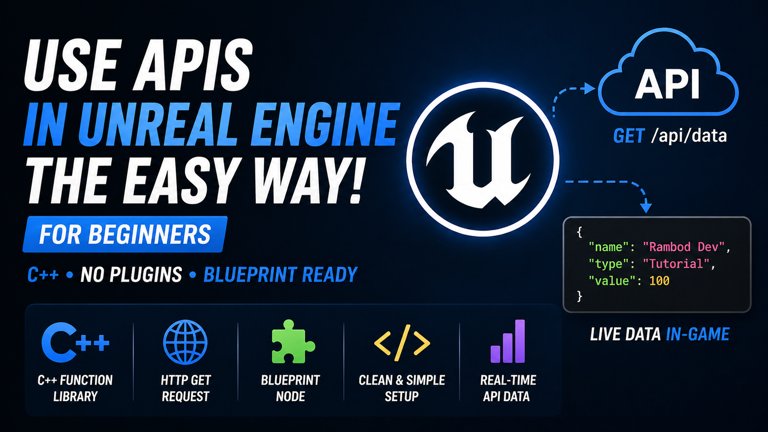
UE5 API Calls with C++
Learn the easiest way to call HTTP APIs in UE5 with C++ by building a Blueprint Function Library, adding a Blueprint-friendly callback delegate, and sending async GET requests without plugins.

Use Rider for Unreal Engine
Set up JetBrains Rider as your main Unreal Engine IDE, install RiderLink correctly, disable Live Coding for a more stable workflow, and improve everyday UE C++ development.
Raylib Setup in CLion with vcpkg
Set up a clean Raylib C++ project in CLion using vcpkg and CMake, install Raylib from the IDE, configure the toolchain, and run a working Hello World window.
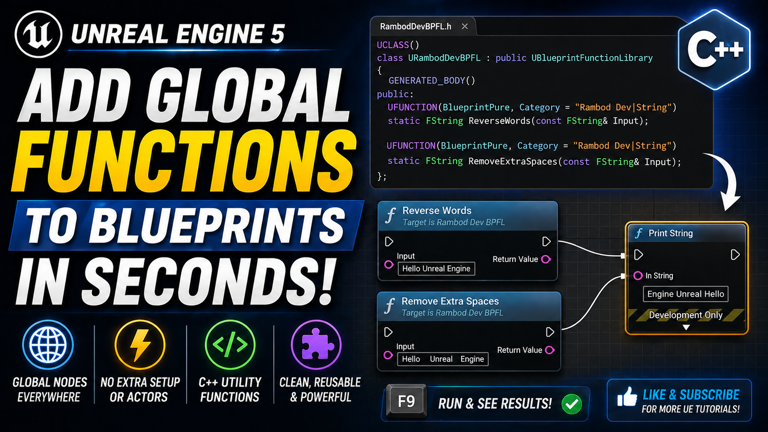
UE5 Global Blueprint Functions
Create reusable global Blueprint nodes in Unreal Engine using a C++ Blueprint Function Library, static UFUNCTION methods, and clean utility categories for project-wide access.

UE5 GitHub Desktop and Git LFS Setup
Set up Git, GitHub Desktop, Unreal Engine .gitignore, and Git LFS for UE5 projects so your source control stays clean, safe, and ready for large assets.

UE5 Dynamic TileView UI
Build a dynamic TileView UI in Unreal Engine 5 using UMG, Blueprints, structs, Blueprint Objects, and runtime data binding for scalable grid-based interfaces.

UE5 Border Widget UI
Learn how to use the Border widget in Unreal Engine UMG to wrap content, add padding, style UI blocks, and combine it with Overlay for clean reusable panels.

UE5 Scroll Box UI
Learn how to use the Scroll Box widget in Unreal Engine UMG to build scrollable menus, lists, inventories, chat windows, and dynamic UI panels.

UE5 Wrap Box UI
Learn how to use the Wrap Box widget in Unreal Engine UMG to create responsive UI layouts for inventories, achievement panels, item grids, and dynamic menus.

UE5 Uniform Grid UI
Learn how to use the Uniform Grid Panel in Unreal Engine UMG to create clean row and column layouts for menus, icon grids, inventories, and UI dashboards.

UE5 Grid Panel UI
Learn how to use the Grid Panel in Unreal Engine UMG to build structured UI layouts with rows, columns, layers, row span, column span, and precise widget positioning.

UE5 Overlay UI Cards
Learn how to use the Overlay widget in Unreal Engine UMG to build layered UI cards with background images, transparent panels, aligned text, and clean widget stacking.

UE5 Fade UI Animation
Learn how to automatically play fade in and fade out UI animations in Unreal Engine using UMG widget animations, Level Blueprint logic, delays, and Remove from Parent.

UE5 Vertical Box UI
Learn how to use Vertical Box and Horizontal Box widgets in Unreal Engine UMG to build clean stacked rows, centered layouts, fill-based spacing, and reusable UI structures.

UE5 Horizontal Box UI
Learn how to use Horizontal Box in Unreal Engine UMG to build clean row layouts, equal columns, centered text, Fill and Auto sizing, and nested UI structures.

UE5 Canvas Panel UI
Learn how to use Canvas Panel in Unreal Engine UMG to position widgets, control anchors, alignment, size, ZOrder, preview modes, and build flexible UI layouts.

UE5 Blueprint Inventory
Build a modular inventory system in Unreal Engine 5 using Blueprints, UMG, Actor Components, Blueprint Interfaces, item structs, stacking logic, pickup actors, inventory UI, and drop functionality.

UE5 Smooth UI Fade
Create a smooth fade-in and fade-out UI animation in Unreal Engine using UMG, Widget Blueprints, Render Opacity, keyboard input, input modes, and mouse cursor control.
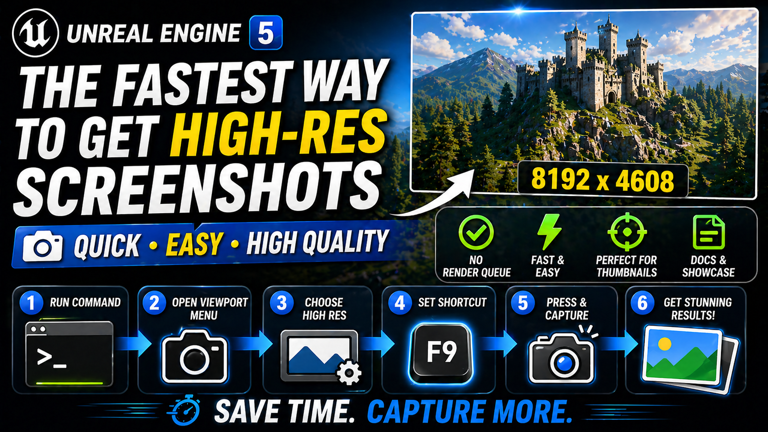
High Res Screenshots in UE5
Learn the fastest ways to capture high-resolution screenshots in Unreal Engine 5 using the HighResShot console command, viewport screenshot tool, and custom editor shortcuts.

Save System in UE5
Learn how to create a beginner-friendly Save and Load system in Unreal Engine 5 using Blueprints, a SaveGame object, player transforms, keyboard input, and automatic loading on BeginPlay.

Speed Up UE Shader Compiles
Learn how to tune Unreal Engine shader compile settings in BaseEngine.ini, reduce waiting time, control CPU usage, and make shader compilation faster and smoother during development.

UE5 Sprint Stamina No Tick
Build an optimized sprint and stamina system in Unreal Engine without Event Tick. Use Blueprint timers for stamina drain, recovery, movement speed changes, and a clean UI progress bar.

UE5 Drop Waypoints Distance Meter
Build a dynamic waypoint marker system in Unreal Engine 5 using Blueprints. Let players drop markers, show distance in meters, animate the UI, keep markers readable, and randomize marker colors.

UE5 Path Tracing Image Render
Render high quality still images in Unreal Engine 5 using Path Tracing and Movie Render Queue. Learn the correct plugin setup, camera sequence workflow, anti-aliasing settings, sample counts, resolution output, and PNG export process.

Navisworks to Unreal with Datasmith
Export Navisworks models to Unreal Engine using Datasmith. Learn how to install the Navisworks Datasmith Exporter, configure merge settings, export a .udatasmith file, enable the Datasmith Importer plugin, import the model, and optimize large CAD or BIM scenes for real-time visualization.

RTS Camera in Unreal Engine
Build a complete RTS camera system in Unreal Engine with smooth WASD movement, zoom, rotation, mouse edge scrolling, locked cursor input, and a custom camera pawn. This older tutorial uses the classic input system, with a note pointing readers to the newer Enhanced Input RTS Camera series.

CMake vcpkg JSON Explained
Understand how CMake, vcpkg, vcpkg.json, CMakePresets.json, and CMakeLists.txt work together in a modern C++ project. This guide explains the full dependency and build workflow using practical examples like Raylib and Chipmunk.

UE5 Door Animation Blueprint
Create a simple interactive door in Unreal Engine 5.5 using Blueprints, Static Mesh components, Box Collision, and Timeline animation. This tutorial shows how to open and close a door smoothly when the player enters or leaves the interaction area.
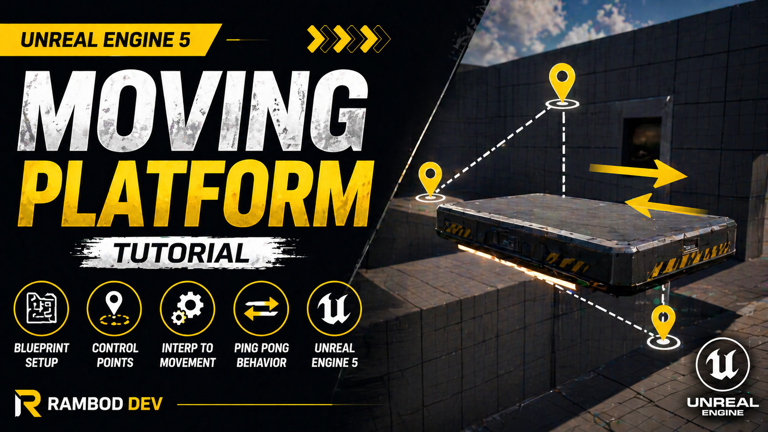
UE5 Moving Platform Blueprint
Create a simple moving platform in Unreal Engine 5 using Blueprints, a Static Mesh component, InterpToMovement, custom control points, and Ping Pong behavior. This beginner friendly setup is useful for elevators, traps, puzzles, and platformer level design.

UE5 Real Time Clock UI
Display the real world system time inside Unreal Engine 5 using a Widget Blueprint, Text Block binding, DateTime nodes, Format Text, and Add to Viewport logic. This beginner friendly UI tutorial shows how to create a simple in-game clock with Blueprints.
Raylib CMake VSCode Setup
Set up a clean C++ game development workflow with Raylib, CMake, Ninja, vcpkg, and Visual Studio Code. This beginner friendly guide explains how the tools connect, how to configure dependencies, and how to build your first Raylib window without manual library setup.

UE5 Health Bar UI
Create a simple health bar UI in Unreal Engine 5 using Widget Blueprints, a Progress Bar, a player health variable, Event Any Damage, and a damage trigger. This beginner friendly Blueprint tutorial shows how to connect gameplay health logic to a real-time HUD element.

Display FPS with Widget Blueprint
Create a simple in-game FPS counter in Unreal Engine 5.5 using Widget Blueprints. This beginner friendly tutorial shows how to calculate FPS from World Delta Seconds, display it with a Text Block, and add the widget to the viewport at runtime.

UE5 MegaLights FPS Boost
Learn how to enable MegaLights in UE5.5 using a Post Process Volume and improve lighting performance in scenes with many active lights.

UE5 Day Night Cycle with Day Sequence
Create a dynamic day night cycle in UE5.5 using Day Sequence, with sun, moon, atmosphere, clouds, time preview, and cycle speed control.
No visible tutorials match these filters
Remove a filter, clear the search field, or reset to the full library.
Reset all filters